
Tools · Free for analysts
The Crime Analysis Excel Toolkit
A free Excel ribbon that takes a raw police incident export to finished analysis: cleaned dates and addresses, NIBRS crime types, hot streets, crime concentration, trends, and a ready-to-share PowerPoint briefing.
16 tools, in workflow order
From raw export to briefing.
Tools with a ▶ have a matching free video in the tutorial library.
Step 1 Prepare
Make messy exports trustworthy before counting anything.

Duplicate / Case Review
Flags incidents that appear on several rows and shows every crime type tied to each one.
▶ Watch: Remove duplicates, consolidate, text to columns, flash fill
Timestamp Fields
Splits one date or timestamp into date, weekday, month, year, time, and hour.
▶ Watch: Creating dates
Hour from Time
Turns any time format, including AM/PM text, into an hour from 0 to 23.
Step 2 Locate
Put incidents on consistent, privacy-safe places.

Hundred-Block Builder
Converts addresses to hundred blocks, the standard unit for street-level analysis.

Randomize Block Addresses
Creates realistic but synthetic addresses within each block for sharing or training data.

Census Geocoder
Batch-geocodes addresses with the free U.S. Census geocoder and flags weak matches for review.
▶ Watch: Geocoding with Google
Step 3 Analyze
Find where and when crime concentrates.

Temporal Heat Map
Builds the classic Monday-to-Sunday by hour grid, colored by volume.
▶ Watch: Pivot tables: temporal heat map
Repeat Locations
Ranks the addresses with the most events, no dates needed.

Hot Streets
Profiles the busiest street blocks week by week or month by month.

Crime Concentration
Measures how much crime the busiest blocks hold, with three ready-made charts.
▶ Watch: Law of crime concentration
Step 4 Compare
Separate real change from noise.

Monthly / Annual Trends
Counts by month or year with daily rates and comparable-period percent change.
▶ Watch: Percent change
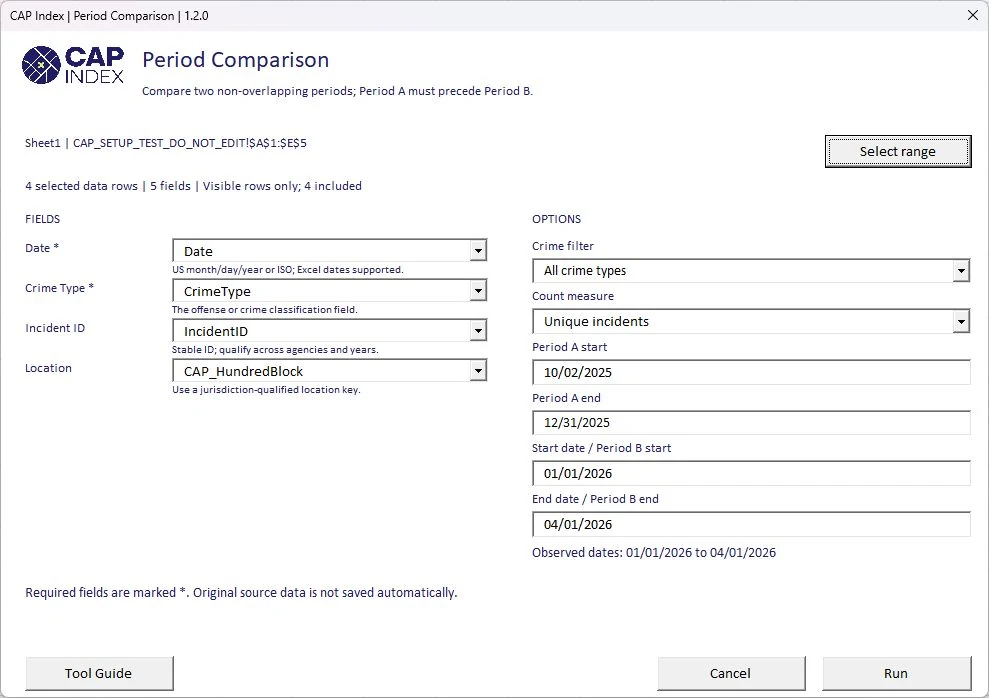
Period Comparison
Compares two non-overlapping periods side by side with differences and daily rates.
▶ Watch: Significant change in counts
Crime Profile
One-page summary: incident and offense totals, crime mix, coverage, and the top 20 locations.
Step 5 Share
Turn results into something a commander or client reads.

Save Image
Saves any report chart or table as a captioned PNG.

PowerPoint Briefing
Builds widescreen briefing slides from your report sheets.

Save Report PDF
Exports a report sheet as a landscape PDF with page numbers.
Install in five minutes
- Download the release ZIP from GitHub Releases (the file named CAP-Index-Toolkit-release-…zip, not the source-code archive).
- Extract it to a permanent folder and keep the files together.
- Optional: confirm the file is intact by comparing its SHA-256 hash with SHA256.txt (PowerShell: Get-FileHash).
- Right-click the .xlam file → Properties → tick Unblock, if that option appears.
- In Excel: File → Options → Add-ins → Manage Excel Add-ins → Go → Browse to the .xlam and enable it. Disable any older CAP Index add-ins first.
- Work from a copy of your data. The add-in is unsigned, so on a work computer follow your IT team’s add-in policy.
Guides
- Data preparation guide
- Time and location analysis
- Crime concentration
- Reporting and export
- Deployment guide for IT
Results are descriptive. Review data quality, coverage, and counting definitions before drawing conclusions. CAP Index names and logos are excluded from the software license; see the repository's branding terms.
More tools
Code and notebooks
Scripts and notebooks will be added here as they're released.
- Python
Kansas City crime map pipeline ↗
The open scripts behind this site’s map: pull a city’s open crime data, classify NIBRS codes, aggregate to a privacy-safe grid, and join to Census block groups.